

Employee Timesheet & Overtime Calculator Studio
$13.97
Friday payroll maths — adding shifts, subtracting breaks, splitting overtime — is where small errors quietly become wage disputes. Employee Timesheet & Overtime Calculator Studio takes a plain list of shifts and returns total hours, the regular/overtime split at your threshold and multiplier, gross pay, and a one-line payroll summary you can paste straight into your records.
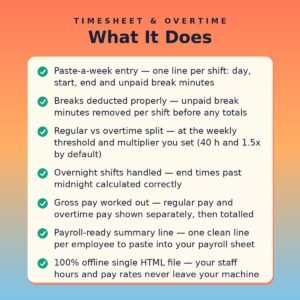
- Paste-a-week entry — one line per shift: day, start, end and unpaid break minutes
- Breaks deducted properly — unpaid break minutes removed per shift before any totals
- Regular vs overtime split — at the weekly threshold and multiplier you set (40 h and 1.5x by default)
- Overnight shifts handled — end times past midnight calculated correctly
- Gross pay worked out — regular pay and overtime pay shown separately, then totalled
- Payroll-ready summary line — one clean line per employee to paste into your payroll sheet
- 100% offline single HTML file — your staff hours and pay rates never leave your machine
What it does
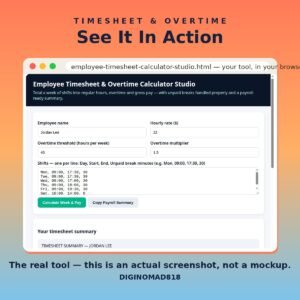
Employee Timesheet & Overtime Calculator Studio is a single-file, offline tool for owners and managers who total hours by hand. Type or paste one line per shift — day, start, end, unpaid break minutes — set the hourly rate, the weekly overtime threshold and the overtime multiplier, and it returns a per-shift breakdown, total hours, the regular and overtime split, and gross pay for the week.
It also prints the honest reminders that keep payroll clean: unpaid breaks only count when the employee is fully off duty, signed timesheets belong with the pay record, and regions with daily overtime rules need those days totalled separately too.
How to use it
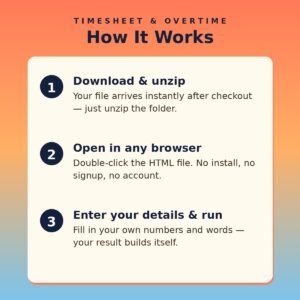
- Open the HTML file in any modern browser — no installation, server, or internet connection needed.
- Enter the employee name, hourly rate, overtime threshold and multiplier for your rules.
- Paste the week's shifts, one per line: Day, Start, End, Break minutes.
- Click Calculate Week & Pay and check the per-shift breakdown against the paper timesheet.
- Click Copy Payroll Summary and paste the summary line into your payroll sheet.
- File the signed timesheet with the pay record — every week, without exception.
Who it’s for
- Small business owners who run payroll from paper timesheets
- Cafe, retail and trades managers totalling part-time and shift hours
- Bookkeepers cleaning up weekly hours before payroll day
- Anyone who has ever paid overtime at the wrong rate by accident
What you get
- One self-contained HTML file (HTML + CSS + JavaScript in a single file) delivered as a ZIP download
- Works offline in any modern browser on Windows, Mac, or Linux
- No API keys, no accounts, no subscriptions, no data collection — your details never leave your device
- Lifetime use of the file you download; buy once, use it as many times as you like
Unpaid breaks only count when the employee is fully off duty. Get the maths right, keep the signed sheet, and payroll stops being an argument.
Related products
-

Subscription Pricing Calculator
$14.97 -
Etsy Profit Calculator
$12.97 -
Client Proposal Generator
$14.97 -
Client Onboarding Generator
$14.97