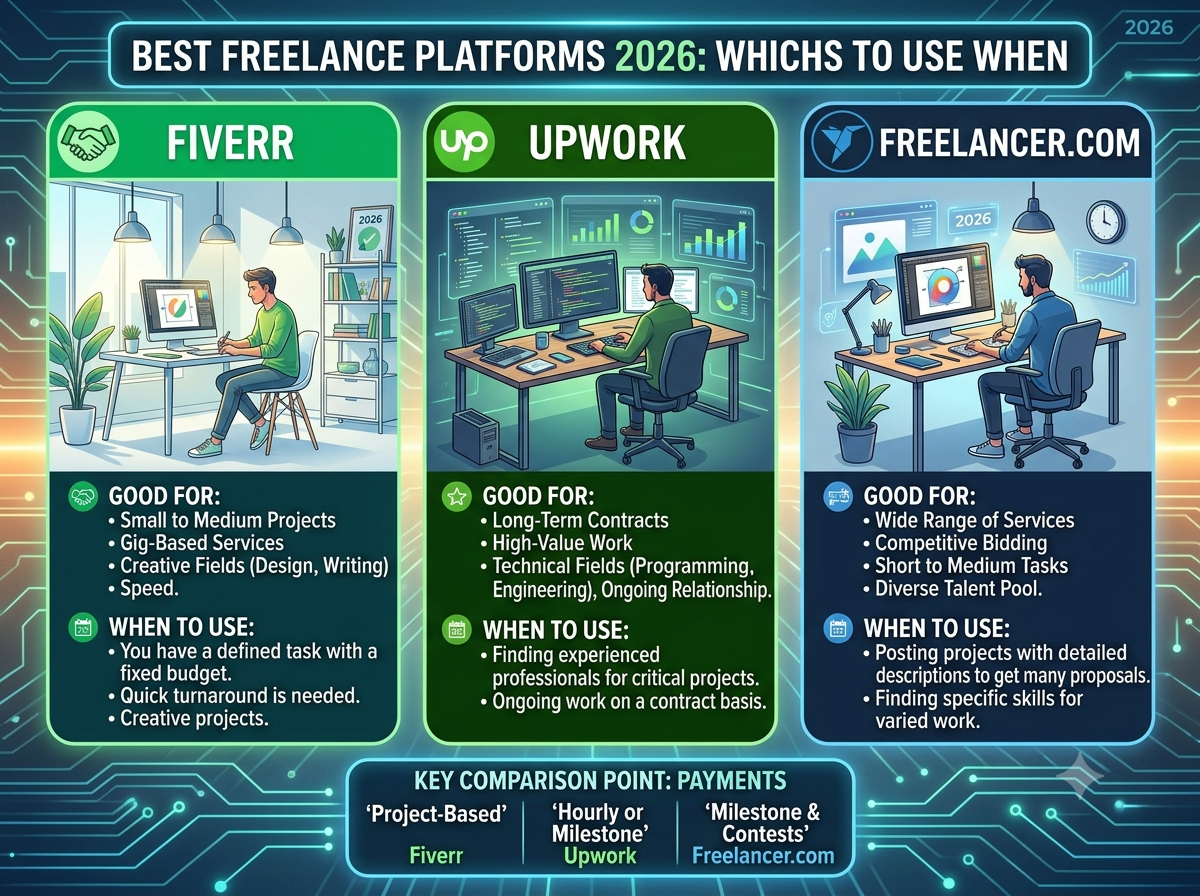
Best Freelance Platforms 2026: Fiverr vs Upwork vs Freelancer.com (Which to Use When)
Fiverr, Upwork, Freelancer.com, Toptal and more compared for 2026 — client fees, speed, and exactly when to use each platform to hire the help your business needs.

Disclosure: This post contains affiliate links. If you sign up through them, we may earn a
commission at no extra cost to you. We only recommend platforms we believe deliver real value.
Read our full Affiliate & Earnings Disclaimer.
There’s a moment in every solo business where you hit a wall. You’ve automated what you can, but some work still needs a human — a logo, a landing page, a video edit, a developer to fix the thing you broke. Hiring your first freelancer is the fastest way through that wall, and the platform you choose determines how much you pay, how fast you get it, and how good the result is.
This guide compares the major freelance platforms in 2026 from the hiring side — fees, workflow, talent quality, and exactly when to use each one.
Key Takeaways
- Fiverr is fastest — browse fixed-price packages and buy instantly, no job posting or interviews.
- Upwork is best for ongoing or complex work — post a job, review proposals, hire on contract.
- Freelancer.com has the lowest client fees (~3%) and runs contests for design work.
- Toptal is for mission-critical projects — pre-vetted top talent, premium price.
- The real question isn’t “which platform” — it’s “should I hire, or automate this?”
Before you hire, ask if you can automate. Many recurring tasks people outsource — lead follow-up, content repurposing, invoicing — can be handled once by an automation. See our
guide to building your first AI employee and the
$0 solo-business stack. Hire for judgment and craft; automate the repetition.
⭐ Quick Picks
The right platform depends on what you’re hiring for.
The 3 Hiring Models — Understand This First
Every platform on this list is a variation of one of three models. Pick the model, and the platform picks itself.
- The catalog (gig) model — Fiverr. Freelancers publish fixed-price packages. You browse, compare, and buy — like shopping. No job post, no interviews, no waiting. Best when you know exactly what you want.
- The marketplace (bidding) model — Upwork, Freelancer.com. You post a job; freelancers submit proposals; you interview and hire. Slower, but you get custom scope, ongoing contracts, and hourly work.
- The vetted (agency) model — Toptal. The platform screens talent for you and matches you to someone. Expensive, but you skip the screening risk entirely.
Rule of thumb: Defined deliverable → catalog. Undefined or ongoing → marketplace. Mission-critical → vetted.
1. Fiverr: Fastest Way to Get Something Done
Fiverr
Best Overall for SolopreneursFiverr pioneered the gig marketplace: freelancers list pre-packaged services at fixed prices, usually in Basic / Standard / Premium tiers. You browse a category, compare packages and reviews, and buy — often getting delivery in days. There’s no job posting, no proposal review, and no interview cycle.
Despite the name (gigs once started at $5), professional services today typically span the low tens to several hundred dollars and up, across hundreds of categories from logo design to AI work.
Best used for
- Logos, brand kits, and social graphics
- Video editing, thumbnails, and short-form content
- Voiceovers, transcription, and audio work
- One-off web fixes, landing pages, and small dev tasks
Client fees: a service fee of roughly 5.5% per order, plus a small-order surcharge on low-value orders. Prices are shown upfront, so you know the cost before you buy.
Pros
- Fastest path from need to delivery
- Fixed, transparent pricing — no negotiation
- Huge category range including AI services
- Payment held in escrow until you approve
- Reviews and tiers make quality easy to compare
Cons
- Quality varies widely — vetting is on you
- Less suited to complex or ongoing work
- Revisions are capped by package tier
- Small-order fees sting on cheap gigs
Best for: Solopreneurs and small businesses who need a specific, well-defined deliverable — fast, at a known price.
Browse Fiverr Services →How to hire well on Fiverr: filter by seller level and reviews, read the package inclusions carefully (revisions and source files are often tier-gated), and message the seller with your exact brief before ordering. A five-minute pre-order conversation prevents most bad outcomes.
2. Upwork: Best for Ongoing and Complex Work
Upwork
Best for Long-Term HiresUpwork is the largest freelance marketplace by market share, and it works the opposite way to Fiverr: you post a job, freelancers submit proposals, and you interview before hiring. Contracts can be hourly (with time tracking) or fixed-price, which makes it the natural home for retainers, ongoing help, and work whose scope isn’t fully defined up front.
Best used for
- Developers, engineers, and technical builds
- Ongoing content writers or virtual assistants
- Marketing retainers and consulting
- Anything where scope evolves as you go
Client fees: a marketplace/service fee (commonly in the ~5% range, varying by plan) plus a small contract initiation fee and payment processing. Costs vary by contract type — check current terms.
Pros
- Largest talent pool and job volume
- Hourly contracts with verified time tracking
- Strong payment protection
- Best for building a long-term relationship
- Fees drop for the freelancer over time, aiding retention
Cons
- Slower — posting, proposals, interviews take days
- You must screen proposals yourself (often dozens)
- Fee structure is more complex than Fiverr’s
- Overkill for a simple one-off task
Best for: Businesses hiring for ongoing, custom, or technical work where a real working relationship matters.
Visit Upwork →3. Freelancer.com: Lowest Client Fees & Contests
Freelancer.com
Lowest Client FeesFreelancer.com runs a bidding marketplace with milestone payments, plus a distinctive contest format: you describe what you want (a logo, say), multiple freelancers submit finished concepts, and you pick a winner. You see the actual work before you commit — genuinely useful for design.
It also has one of the lowest client-side fee structures of the major platforms, and free job posting.
Best used for
- Logo and design work via contests
- Budget-sensitive projects
- Milestone-based project work
Client fees: around 3% project fee (with a small minimum) — the lowest of the big marketplaces. Free to post a project.
Pros
- Lowest client fees of the major platforms
- Contests let you see finished work before paying
- Milestone payments protect both sides
- Very large global talent pool
Cons
- Bid volume is overwhelming (dozens per project)
- Quality is highly variable; heavy screening needed
- Race-to-the-bottom pricing can attract low quality
- Interface feels dated versus rivals
Best for: Budget-conscious clients, and anyone running a design contest where seeing options first is worth the screening effort.
Visit Freelancer.com →4. Toptal: Elite, Pre-Vetted Talent
Toptal
Best for Critical ProjectsToptal screens applicants heavily and accepts only a small fraction (they advertise the top 3%), focusing on software, finance, and design. You describe your need, and they match you to a vetted professional — you’re paying to skip the screening risk entirely.
Cost: premium hourly rates (commonly $60–200+/hr), with platform costs built into the rate. Expect an initial deposit.
Pros
- Rigorous vetting removes hiring risk
- Fast matching — no proposal sifting
- Genuinely senior talent
- Trial period to confirm fit
Cons
- Far more expensive than other platforms
- Overkill for small or simple tasks
- Narrower category range
- Not viable on a solopreneur budget for most work
Best for: Mission-critical technical or finance work where a bad hire costs more than the premium.
Visit Toptal →5. Worth Knowing: 99designs & PeoplePerHour
99designs is design-specific and contest-driven — post a brief, receive multiple concepts, pick a winner. If you need a logo or brand identity and want choice before committing, it’s purpose-built for exactly that.
PeoplePerHour focuses on web, design, and marketing work, with a mix of hourly and project-based hiring. It’s smaller but has a strong European talent base, which can matter for timezone alignment.
Comparison Table: Freelance Platforms for Hiring (2026)
| Platform | Model | Client Fees (approx.) | Speed to Hire | Best For |
|---|---|---|---|---|
| Fiverr | Gig catalog | ~5.5% + small-order fee | Instant | Defined deliverables, fast |
| Upwork | Proposals/bidding | ~5% + initiation fee | Days | Ongoing & complex work |
| Freelancer.com | Bidding + contests | ~3% project fee | Days | Budget projects, contests |
| Toptal | Vetted matching | Built into rate | ~Days (matched) | Elite technical talent |
| 99designs | Design contests | Package pricing | Days | Logos & brand identity |
| PeoplePerHour | Hourly/project | Varies | Days | Web, design, marketing |
Fees change often. Every platform adjusts its fee structure periodically, and figures vary by order size, plan, and region. Always confirm current fees on the platform before committing to a project.
How to Choose (a 30-second decision)
- You know exactly what you want and want it this week → Fiverr
- You need ongoing help or the scope will evolve → Upwork
- You’re on a tight budget, or want a design contest → Freelancer.com or 99designs
- The project is business-critical and you can’t afford a bad hire → Toptal
- The task repeats every week → don’t hire. Automate it. (See our AI automation tools guide.)
How to Hire Well (avoid the classic mistakes)
- Write the brief before you shop. Deliverable, format, deadline, and what “done” looks like. Most bad freelance experiences trace back to a vague brief, not a bad freelancer.
- Start with a small paid test. Never hand a stranger your biggest project first. A small paid task reveals communication style, speed, and quality at low risk.
- Read the package, not the price. On gig platforms, revisions, source files, and commercial rights are often tier-gated. The cheap tier is rarely the one you need.
- Judge communication first. Responsiveness and clarifying questions predict outcomes better than portfolio polish.
- Keep everything on-platform. Escrow and dispute protection only exist if the payment ran through the platform. Off-platform deals leave you with no recourse.
- Ask: could an automation do this? If it’s repetitive and rule-based, a workflow beats a freelancer, permanently and at near-zero cost.
Frequently Asked Questions
Which freelance platform is cheapest for clients?
Freelancer.com typically has the lowest client-side fee (around 3%), followed by Upwork and Fiverr. But fees are a small part of total cost — a cheap platform with a bad hire costs far more than a slightly higher fee with a good one.
Is Fiverr or Upwork better?
They solve different problems. Fiverr is better when you know exactly what you want and want it fast — you buy a fixed-price package instantly. Upwork is better for ongoing, custom, or technical work where you need proposals, interviews, and hourly contracts.
Are freelance platforms safe to use?
Yes, when you stay on-platform. Payments are held in escrow and released once you approve the work, and disputes are mediated. That protection disappears the moment you pay someone directly off-platform.
How much should I pay a freelancer?
It varies enormously by skill and region. Rather than anchoring on the lowest bid, define your budget by the value of the outcome — a logo that carries your brand for years is worth more than the cheapest available option.
Should I hire a freelancer or automate the task?
Hire for judgment, creativity, and craft. Automate anything repetitive and rule-based — lead follow-up, posting, data entry, invoicing. Automation runs forever for near-zero cost; a freelancer bills every time.
The Bottom Line
For most solopreneurs, Fiverr is the right first stop: you know what you need, you buy it at a fixed price, and it’s delivered in days. Graduate to Upwork when the work becomes ongoing, and to Toptal when the stakes justify the premium. Freelancer.com and 99designs are excellent when you want to see options before you commit.
But the highest-leverage move isn’t choosing a platform — it’s knowing what not to outsource. Hire humans for the work that needs a human. Everything else, automate once and let it run.
Automate first, hire second.
Grab our Make.com Automation Blueprint Pack — 7 ready-to-build workflows that handle the repetitive tasks you’d otherwise pay a freelancer for, month after month.
Get the Blueprint Pack →