


AI Meeting Agenda Generator Studio
$13.97
Most meetings drift because nobody named the decision before the meeting started. AI Meeting Agenda Generator Studio builds your agenda backwards from that decision: every topic gets an owner and a hard time slot, attendees get pre-work 24 hours ahead, and the meeting closes with the decision read back word for word plus owned next steps.
- Decision-first design — the whole agenda is built backwards from the one decision the meeting must make
- Timed slots for every topic — each topic gets an owner and minutes, with an automatic overrun warning
- Pre-work block included — context, one recommendation per owner, and advance votes from absentees
- Decision log built in — decision, dissent and next steps with owners and deadlines, filled in live
- Facilitator rules that work — start on time, park overruns as action items, end early when decided
- Open-discussion time calculated — whatever minutes remain are allocated honestly, not wished for
- 100% offline single HTML file — your meeting plans and attendee names never leave your machine
What it does
AI Meeting Agenda Generator Studio is a single-file, offline tool that turns a meeting title, length, attendee list and topic list into a complete, timed agenda. Name the one decision the meeting must make, give each topic an owner and a minute allocation, and the tool assembles the opening, the timed topic blocks, any remaining open-discussion time, the closing decision block, a pre-work checklist and a fill-in decision log. If your topics plus opening and close exceed the meeting length, it warns you plainly instead of letting the agenda pretend to fit.
How to use it
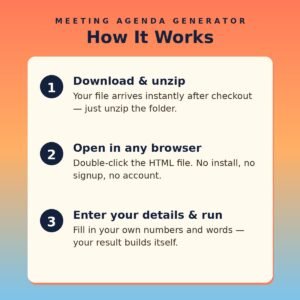
- Open the HTML file in any modern browser — no installation, server, or internet connection needed.
- Enter the meeting title, length in minutes, attendees and facilitator.
- Write the ONE decision the meeting must make — the agenda is built backwards from it.
- List topics one per line as Topic | Owner | Minutes.
- Click Generate My Agenda and check the timing warning if one appears.
- Click Copy Agenda, send it with the pre-work 24 hours before the meeting, and fill in the decision log live.
Who it’s for
- Team leads whose meetings run long and end without decisions
- Remote and hybrid teams coordinating across time zones
- Project managers running planning, launch and review sessions
- Anyone replacing a recurring status meeting with a decision meeting
What you get
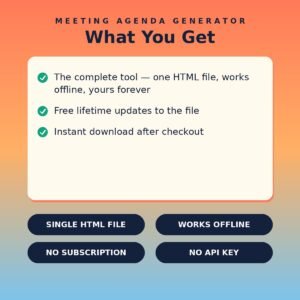
- One self-contained HTML file (HTML + CSS + JavaScript in a single file) delivered as a ZIP download
- Works offline in any modern browser on Windows, Mac, or Linux
- No API keys, no accounts, no subscriptions, no data collection — your details never leave your device
- Lifetime use of the file you download; buy once, use it as many times as you like
A meeting without a named decision is a status update wearing a costume. Name the decision first — the agenda builds itself from there.