

Creator Stream Schedule Planner Studio
$12.97
'I stream sometimes, check my Discord' is not a schedule — and audiences cannot build a habit around a guess. Creator Stream Schedule Planner Studio turns your chosen days and start time into a complete schedule pack: conversions for seven audience timezones, a weekly announcement post, channel panel text, and the consistency rules that make a schedule actually grow a channel.
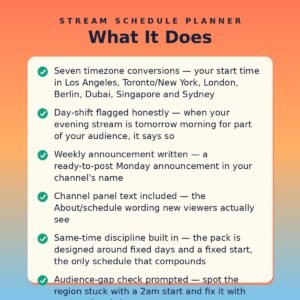
- Seven timezone conversions — your start time in Los Angeles, Toronto/New York, London, Berlin, Dubai, Singapore and Sydney
- Day-shift flagged honestly — when your evening stream is tomorrow morning for part of your audience, it says so
- Weekly announcement written — a ready-to-post Monday announcement in your channel's name
- Channel panel text included — the About/schedule wording new viewers actually see
- Same-time discipline built in — the pack is designed around fixed days and a fixed start, the only schedule that compounds
- Audience-gap check prompted — spot the region stuck with a 2am start and fix it with one weekend slot
- 100% offline single HTML file — your plans never leave your machine
What it does
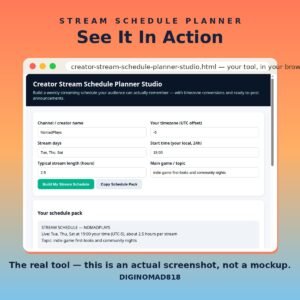
Creator Stream Schedule Planner Studio is a single-file, offline tool for streamers and live creators. Enter your channel name, timezone offset, stream days, local start time, typical length and topic, and it builds the pack: your start time converted across seven audience timezones with day-shifts flagged, a weekly announcement post, and the channel panel text that tells new viewers when to come back.
The tool is built on the one finding every growth guide agrees on: consistency beats frequency. Three streams at the same time every week outperform seven random ones, because audiences can only form a habit around a time they can remember.
How to use it
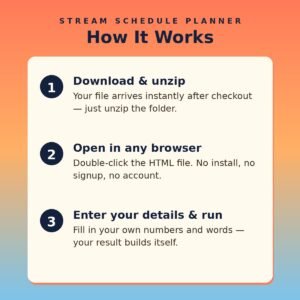
- Open the HTML file in any modern browser — no installation, server, or internet connection needed.
- Enter your channel name and your timezone's UTC offset.
- Choose stream days you can honestly keep for the next eight weeks — fewer is better than flaky.
- Set your local start time, typical stream length and main topic.
- Click Build My Stream Schedule and check the timezone table for audience dead zones.
- Click Copy Schedule Pack and paste the announcement and panel text where your viewers land.
Who it’s for
- Twitch and YouTube streamers whose schedule is currently 'whenever'
- Live creators with an international audience spread across timezones
- Streamers relaunching with a fixed weekly rhythm
- Anyone whose viewers keep asking 'so when are you live?'
What you get
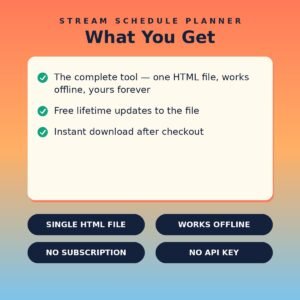
- One self-contained HTML file (HTML + CSS + JavaScript in a single file) delivered as a ZIP download
- Works offline in any modern browser on Windows, Mac, or Linux
- No API keys, no accounts, no subscriptions, no data collection — your details never leave your device
- Lifetime use of the file you download; buy once, use it as many times as you like
Same days, same time, for at least eight weeks before you judge it. Audiences build habits slowly — give them a time worth remembering.