




Email Preview Text Generator Studio
$12.97
Half of your subject line's selling space is the preview text beside it — and most senders waste it on 'View this email in your browser.' Email Preview Text Generator Studio writes preview options matched to your subject line and email type, counts every character for mobile and desktop truncation, and shows you an inbox mock before you send.
- Subject-matched options — preview text written against your exact subject line, never generic filler
- Four email types built in — sale, newsletter, cart abandonment and welcome flows each get their own angles
- Character counts on everything — see exactly what survives mobile (~40 chars) and desktop (~90 chars)
- Inbox mock previews included — desktop and mobile renderings of sender, subject and preview together
- Your own draft improved, not replaced — paste an idea and get it plus fresh alternatives
- Pre-send checklist built in — catches repetition of the subject line and weak first-40-characters
- 100% offline single HTML file — your campaign copy never leaves your machine
What it does
Email Preview Text Generator Studio is a single-file, offline tool for the most neglected line in email marketing. Enter your subject line, sender name, email type, key offer and hook, and it generates preview text options in the right register for that email type, each with a character count, plus desktop and mobile inbox mocks showing exactly how the three lines sit together in a real inbox.
The principle is simple: the subject line sells the open, and the preview removes the last doubt. Written together, they do the work of two subject lines for the price of one send.
How to use it
- Open the HTML file in any modern browser — no installation, server, or internet connection needed.
- Enter the exact subject line you plan to send.
- Pick the email type and add your key offer and hook detail.
- Optionally paste your own preview draft to have it counted and compared.
- Click Generate Preview Text Options and check the mobile mock first — that is where most opens happen.
- Click Copy Options and set the winner in your email tool's preview text field before sending.
Who it’s for
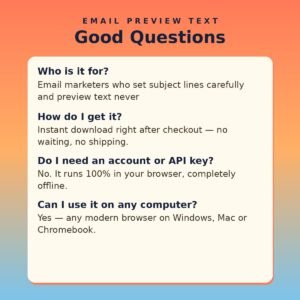
- Email marketers who set subject lines carefully and preview text never
- Online sellers sending sales and cart emails that compete in crowded inboxes
- Newsletter writers who want the preview to promise the best idea inside
- Anyone whose inbox preview still says 'View this email in your browser'
What you get
- One self-contained HTML file (HTML + CSS + JavaScript in a single file) delivered as a ZIP download
- Works offline in any modern browser on Windows, Mac, or Linux
- No API keys, no accounts, no subscriptions, no data collection — your details never leave your device
- Lifetime use of the file you download; buy once, use it as many times as you like
The preview is a second subject line you already own. Spend it on value, not on a browser link.