Seller Photo Toolkit — AI Background Remover & Batch Photo Prep for Etsy, eBay, Amazon & Walmart Sellers (Windows, Offline)
$49.00Original price was: $49.00.$39.00Current price is: $39.00.
Marketplaces want clean product photos on pure white, perfectly square, at the right size — and the online background removers want a monthly subscription and your photos uploaded to their servers to do it. The Seller Photo Toolkit does the whole job on your own Windows PC: AI background removal with the model built in, batch 1:1 squares, marketplace sizes and lean JPG/PNG/WebP exports. Once. Yours. Offline.
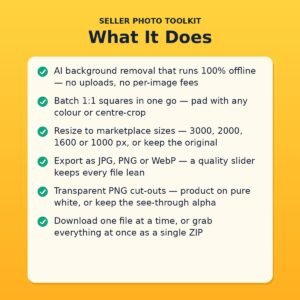
• AI background removal, 100% offline — the AI model is built into the app; your photos never leave your PC and there are no per-image fees
• Batch 1:1 squares in one pass — pad to square with a colour you pick (white by default) or centre-crop, for a whole folder of photos at once
• Marketplace sizes built in — export at 3000, 2000, 1600 or 1000 px, or keep the original size
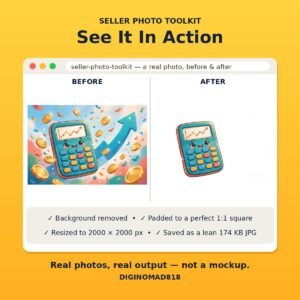
• JPG, PNG & WebP export — with a quality slider, so files come out lean (one 2 MB sample photo left the toolkit as a 174 KB JPG)
• Transparent PNG cut-outs — put your product on pure white, or keep the see-through alpha for your own designs
• Seller recipe pre-set — background removal on, white square pad, 2000 px, JPG: drop photos in and the defaults are already right
• Download one or all — save files one at a time, or grab everything at once as a single ZIP
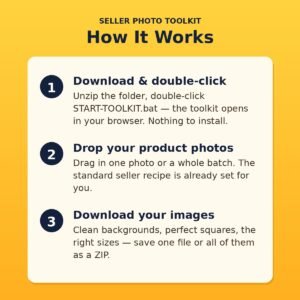
• Nothing to install — unzip, double-click START-TOOLKIT.bat, and the toolkit opens in your browser. No account, no subscription, no Python to set up
Your photos are doing the selling. Right now, they’re also doing the struggling.
Every marketplace asks for the same thing: product on a clean — usually pure white — background, square images, big enough to zoom. And every seller knows the gap between that and a phone photo taken on the kitchen table.
The usual fix is an online background remover. Which means uploading your product photos to someone else’s server, watching a credit counter tick down, and paying again next month — forever — for a job your own computer could do.
The Seller Photo Toolkit does that job on your own Windows PC. It pairs AI background removal with the model built in (no downloads after setup, no account, nothing uploaded) with the batch prep sellers actually need: perfect 1:1 squares, marketplace sizes, and lean exports — in one pass, for one photo or a whole batch.
What it does
1. Removes the background — on your machine, not a server.
Drop in your photos and the built-in AI separates product from background: no more cluttered tables, spare-room walls or “good enough” grey. Keep the result as a transparent PNG cut-out, or let the toolkit place your product on a clean background for you.
2. Makes every photo a perfect square.
Marketplaces crop to 1:1 whether you plan for it or not. Pad to square with a colour you choose (pure white by default — the marketplace standard) or centre-crop if you’d rather fill the frame. Your product stays whole; the marketplace crop stops eating your edges.
3. Resizes and exports at marketplace sizes.
Export at 3000, 2000, 1600 or 1000 px, or keep the original size, as JPG (with a quality slider), PNG (keeps transparency) or WebP. Download files one at a time, or everything at once as a single ZIP.
The standard seller recipe is pre-set — background removal on, white square pad, 2000 px, JPG — so for most listings the workflow is: drop photos in, download photos out.
An honest note on quality
On clear product shots with one obvious subject, the cut-outs are clean and professional — the listing photos show a real before-and-after produced by this exact toolkit. On busy, multi-subject artwork the result is softer: the AI is a smart helper, not magic, and we’d rather tell you that here than let you find out after buying.
Who it’s for
Etsy, eBay, Amazon and Walmart sellers — and anyone listing products anywhere — who prep their own photos, are tired of per-image credits and monthly remover subscriptions, or simply don’t want their product photos uploaded to a stranger’s server.
What’s included
– seller-photo-toolkit.zip — the complete toolkit (~296 MB download; unzips to a SellerPhotoToolkit folder, ~565 MB): the app with the AI background-removal model built in — works offline from the first run; START-TOOLKIT.bat — the double-click launcher; nothing to install; quick-start README, including first-run and troubleshooting notes; open-source license files for the components inside
– Free lifetime updates to the toolkit
How delivery works
This is a digital download. Right after checkout you get the download link for the ZIP (it’s ~296 MB — give it a few minutes on a slower connection). Unzip it, open the folder, double-click START-TOOLKIT.bat, and the toolkit opens in your web browser. No installation, no account, no subscription, and no internet connection needed after the download — nothing you process ever leaves your computer.
Requirements
– Windows 10 or 11 PC (64-bit) — this version is Windows only; Mac is not supported
– About 600 MB of free disk space once unzipped
– Any modern web browser (the toolkit’s screen opens in it)
– Internet only for the download itself — the toolkit runs 100% offline afterwards
– First-run note: Windows may show a SmartScreen prompt the first time you launch it — the included README walks you through it in a few clicks
Please note
Results depend on the photo: clear shots with a single, obvious subject work best, and busy scenes give softer cut-outs. This toolkit is built for everyday marketplace photo prep — background removal, squaring, sizing and compression — not studio-grade retouching.
Questions before or after buying? Message us or email support@diginomad818.com — we’re happy to help.