15 Best Content Calendar Tools to Plan Your Marketing (Free & Paid) in 2026
Disclosure: This post contains affiliate links. If you purchase through our links, we may earn a commission at no extra cost to you. We only recommend tools we’ve personally tested.
Scattered content ideas in notebooks, missed publishing deadlines, duplicated efforts across team members, and the constant stress of “what should we post today?”—this is the reality for marketing teams without a proper content calendar tool.
A content calendar transforms chaos into clarity. It gives your team visibility into what’s coming, ensures consistent publishing, and keeps everyone aligned on content priorities.
But with dozens of content calendar tools available—from free options to enterprise platforms—how do you choose the right one?
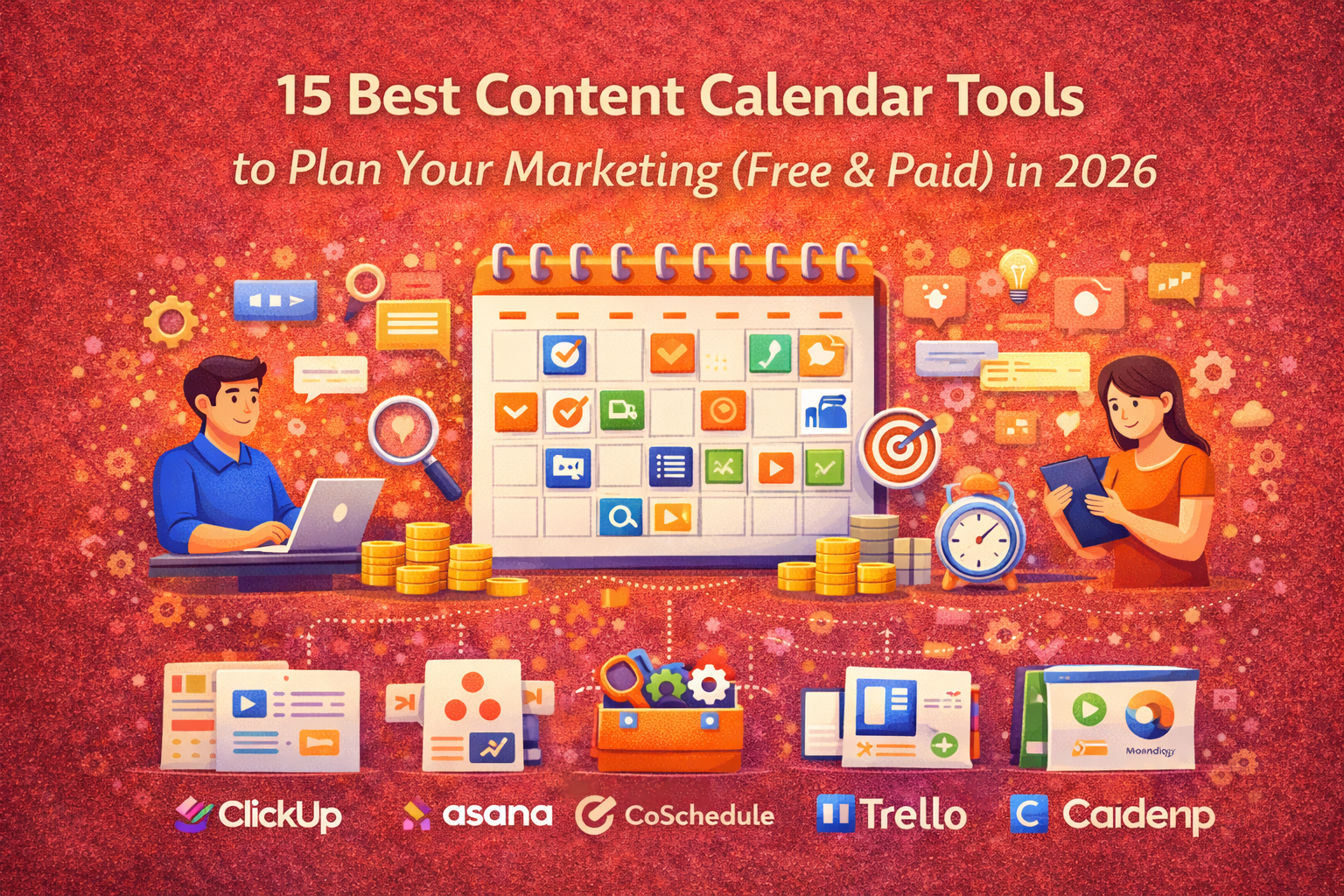
This comprehensive guide reviews the 15 best content calendar tools for 2026, covering free and paid options for every budget and team size. We’ll help you find the perfect tool to organize your content marketing and finally take control of your publishing schedule.
What to Look for in a Content Calendar Tool
Before diving into specific tools, let’s establish what makes a content calendar tool effective for your needs.
Essential Features
Every content calendar tool should offer:
| Feature | Why It Matters |
|---|---|
| Calendar View | Visualize your publishing schedule at a glance |
| Multiple Views | Switch between calendar, list, and board views |
| Collaboration | Team members can work together in real-time |
| Status Tracking | Monitor content progress from idea to published |
| Due Dates & Reminders | Never miss a deadline |
| Filtering & Search | Quickly find specific content |
| Mobile Access | Manage your calendar on the go |
Nice-to-Have Features
Depending on your needs, these features add significant value:
| Feature | Best For |
|---|---|
| Publishing Integration | Teams wanting direct posting to social/blog |
| Approval Workflows | Teams requiring content sign-off |
| Asset Library | Managing images, videos, and files |
| Analytics Integration | Tracking content performance |
| Client Workspaces | Agencies managing multiple clients |
| Template Library | Speeding up content planning |
| AI Assistance | Content ideation and optimization |
Questions to Ask Before Choosing
Quick Comparison: All 15 Content Calendar Tools
Here’s how all 15 tools compare at a glance:
| Tool | Price | Free Plan | Best For | Publishing | Rating |
|---|---|---|---|---|---|
| Notion | Free – $10/mo | ✅ | All-in-one flexibility | ❌ | ⭐⭐⭐⭐⭐ |
| Google Sheets | Free | ✅ | Simplicity, budget | ❌ | ⭐⭐⭐⭐ |
| Trello | Free – $5/mo | ✅ | Visual kanban | ❌ | ⭐⭐⭐⭐ |
| ClickUp | Free – $7/mo | ✅ | Feature-rich free | ❌ | ⭐⭐⭐⭐⭐ |
| Airtable | Free – $20/mo | ✅ | Database calendars | ❌ | ⭐⭐⭐⭐ |
| CoSchedule | $29/mo | ❌ | Marketing teams | ✅ | ⭐⭐⭐⭐⭐ |
| Monday.com | $9/seat/mo | ✅ | Visual teams | ❌ | ⭐⭐⭐⭐⭐ |
| Asana | Free – $11/mo | ✅ | Workflow management | ❌ | ⭐⭐⭐⭐⭐ |
| Loomly | $32/mo | ❌ | Social media teams | ✅ | ⭐⭐⭐⭐ |
| Planable | Free – $33/mo | ✅ | Approval workflows | ✅ | ⭐⭐⭐⭐ |
| Sprout Social | $249/mo | ❌ | Enterprise social | ✅ | ⭐⭐⭐⭐⭐ |
| Adobe Express | Free – $10/mo | ✅ | Design + calendar | ✅ | ⭐⭐⭐⭐ |
| Wrike | Free – $10/mo | ✅ | Complex workflows | ❌ | ⭐⭐⭐⭐ |
| Kapost | Custom | ❌ | B2B content ops | ✅ | ⭐⭐⭐⭐ |
| Percolate | Custom | ❌ | Enterprise marketing | ✅ | ⭐⭐⭐⭐ |
Best Free Content Calendar Tools
These tools offer robust free plans perfect for individuals and small teams.
1. Notion — Best Free All-in-One Solution
Notion has become the go-to workspace for content teams wanting flexibility and power without paying a dime.
Official Link: https://www.notion.so
| Attribute | Details |
|---|---|
| Pricing | Free / $10/user/month (Plus) |
| Free Plan | Unlimited pages, generous limits |
| Best For | All-in-one workspace, maximum flexibility |
Key Features:
- Multiple Database Views — Switch between calendar, table, kanban, timeline, and gallery views
- Unlimited Customization — Build exactly the calendar structure you need
- Templates — Thousands of free content calendar templates available
- Team Collaboration — Real-time editing, comments, and mentions
- Integrated Documentation — Combine calendar with content briefs, style guides, and SOPs
- API & Integrations — Connect with Zapier, Slack, and hundreds of other tools
- AI Assistant — Built-in AI for content ideation and writing
Pros:
- Incredibly flexible and customizable
- Generous free tier for individuals
- Combines calendar with documentation
- Active template community
- Regular feature updates
Cons:
- Learning curve for advanced features
- No built-in social media publishing
- Can become disorganized without structure
- Team features limited on free plan
Verdict: Notion is the best free content calendar tool for teams wanting an all-in-one workspace. The flexibility is unmatched—build a simple calendar or a complex content operations system. The trade-off is no direct publishing integration.
2. Google Sheets — Best for Simplicity
Sometimes the simplest solution is the best. Google Sheets offers a familiar interface that anyone can use immediately.
Official Link: https://sheets.google.com
| Attribute | Details |
|---|---|
| Pricing | Free (Google Workspace from $6/user/month) |
| Free Plan | Full functionality, 15GB storage |
| Best For | Budget-conscious teams, simplicity |
Key Features:
- Real-Time Collaboration — Multiple team members can edit simultaneously
- Custom Formulas — Automate calculations and status tracking
- Conditional Formatting — Color-code by status, date, or content type
- Version History — Track all changes and restore previous versions
- Comments & Assignments — Tag team members and assign tasks
- Google Integration — Works seamlessly with Docs, Drive, and Calendar
- Offline Access — Work without internet via Chrome
Pros:
- Completely free
- Everyone knows how to use it
- Highly customizable with formulas
- Easy sharing and permissions
- Works on any device
Cons:
- No built-in calendar visualization
- Requires manual setup
- No publishing integrations
- Limited automation without add-ons
Verdict: Google Sheets is perfect for small teams or individuals who want a free, familiar solution without learning new software. It lacks the visual polish of dedicated tools but gets the job done.
3. Trello — Best Free Kanban Calendar
Trello’s visual kanban boards make content planning intuitive and even enjoyable.
Official Link: https://trello.com
| Attribute | Details |
|---|---|
| Pricing | Free / $5/user/month (Standard) |
| Free Plan | Unlimited cards, 10 boards, limited power-ups |
| Best For | Visual kanban-style planning |
Key Features:
- Kanban Boards — Drag and drop cards through workflow stages
- Calendar Power-Up — View cards with due dates as a calendar
- Checklists — Break content into subtasks
- Labels & Filters — Organize by content type, campaign, or priority
- Butler Automation — Automate repetitive actions
- Mobile Apps — Full-featured iOS and Android apps
- Power-Ups — Extend functionality with integrations
Pros:
- Extremely intuitive interface
- Quick to set up
- Great free tier
- Excellent mobile experience
- Fun to use
Cons:
- Calendar view requires power-up
- Limited reporting capabilities
- Can become unwieldy at scale
- No publishing integrations
Verdict: Trello is ideal for visual thinkers and small teams who prefer seeing content move through stages. The calendar power-up transforms it into a functional editorial calendar.
4. ClickUp — Best Free Feature-Rich Option
ClickUp packs more features into its free tier than most paid tools offer.
Official Link: https://clickup.com
| Attribute | Details |
|---|---|
| Pricing | Free / $7/user/month (Unlimited) |
| Free Plan | Unlimited tasks and members, 100MB storage |
| Best For | Teams wanting maximum free functionality |
Key Features:
- Multiple Views — Calendar, list, board, Gantt, timeline, and more
- Custom Fields — Track any data point you need
- ClickUp Docs — Built-in documentation for briefs and guidelines
- Goals — Set and track content marketing objectives
- Time Tracking — Monitor time spent on content creation
- Automations — Trigger actions based on status changes
- 1,000+ Integrations — Connect with your existing tools
Pros:
- Most features of any free tool
- Highly customizable
- Strong automation capabilities
- Combines PM with calendar
- Constant improvements
Cons:
- Can be overwhelming
- Steep learning curve
- Interface feels cluttered
- Performance can lag with large workspaces
Verdict: ClickUp is the best choice for teams wanting enterprise-level features without paying. Be prepared to invest time in setup and learning—the power comes with complexity.
5. Airtable — Best Free Database Calendar
Airtable combines the familiarity of spreadsheets with the power of databases, creating a uniquely flexible content calendar.
Official Link: https://www.airtable.com
| Attribute | Details |
|---|---|
| Pricing | Free / $20/user/month (Team) |
| Free Plan | 1,000 records per base, 1GB attachments |
| Best For | Data-driven content calendars |
Key Features:
- Spreadsheet-Database Hybrid — Familiar interface with relational power
- Multiple Views — Grid, calendar, kanban, gallery, and timeline
- Linked Records — Connect content to campaigns, authors, and channels
- Forms — Collect content requests from stakeholders
- Automations — Trigger emails, updates, and integrations
- Interface Designer — Build custom dashboards and views
- Extensions — Add charts, maps, and more
Pros:
- Powerful relational database
- Beautiful calendar views
- Excellent for complex workflows
- Strong automation
- Great free tier
Cons:
- 1,000 record limit on free plan
- Complex to set up properly
- No publishing integrations
- Gets expensive at scale
Verdict: Airtable is perfect for data-driven marketers who want spreadsheet familiarity with database capabilities. The calendar views are beautiful, and linked records enable sophisticated content tracking.
Best Paid Content Calendar Tools
These tools offer premium features worth paying for, especially for growing teams.
6. CoSchedule — Best Marketing-Specific Calendar
CoSchedule is built specifically for marketers, combining calendar functionality with social publishing and content optimization.
Official Link: https://coschedule.com
| Attribute | Details |
|---|---|
| Pricing | $29/month (Marketing Calendar) |
| Free Trial | 14-day free trial |
| Best For | Marketing teams, WordPress users |
Key Features:
- Drag-and-Drop Calendar — Visual marketing calendar designed for content
- Social Publishing — Schedule and post directly to social platforms
- ReQueue — Automatically reshare top-performing content
- Headline Analyzer — Optimize headlines for engagement
- WordPress Integration — Deep integration for blog content
- Team Workflows — Assign tasks and track progress
- Email Marketing Integration — Coordinate email with content calendar
Pros:
- Purpose-built for marketers
- Integrated social publishing
- Excellent WordPress integration
- Headline analyzer included
- Clean, focused interface
Cons:
- No free plan
- Social features require higher tier
- Less flexible than general PM tools
- Smaller integration ecosystem
Verdict: CoSchedule is the best choice for marketing teams, especially WordPress users. The combination of calendar, publishing, and optimization tools makes it a powerful marketing hub.
7. Monday.com — Best for Visual Teams
Monday.com offers stunning visual boards and dashboards that make content planning a pleasure.
Official Link: https://monday.com
| Attribute | Details |
|---|---|
| Pricing | $9/seat/month (Basic), free for 2 users |
| Free Plan | Up to 2 users, limited features |
| Best For | Visual teams, client collaboration |
Key Features:
- Visual Boards — Color-coded, highly customizable workspaces
- Multiple Views — Timeline, calendar, kanban, Gantt, and more
- Dashboards — Real-time overview of content status
- Workdocs — Create content briefs directly in the platform
- Automations — Powerful workflow automation
- Guest Access — Invite clients without full licenses
- 200+ Integrations — Connect with your existing stack
Pros:
- Beautiful, intuitive interface
- Highly visual and customizable
- Excellent client management
- Strong automation
- Great mobile apps
Cons:
- Per-seat pricing adds up
- Minimum 3 seats on most plans
- No built-in publishing
- Can be overkill for simple needs
Verdict: Monday.com is perfect for visual teams and agencies managing client content. The dashboards are exceptional for stakeholder reporting, and client workspaces simplify collaboration.
8. Asana — Best for Workflow Management
Asana excels at managing complex content workflows with robust task dependencies and automation.
Official Link: https://asana.com
| Attribute | Details |
|---|---|
| Pricing | Free / $10.99/user/month (Premium) |
| Free Plan | Up to 10 users, basic features |
| Best For | Workflow-focused teams |
Key Features:
- Multiple Views — List, board, calendar, and timeline
- Task Dependencies — Ensure proper content workflow order
- Custom Fields — Track content-specific data
- Workflow Builder — Create automated workflows
- Forms — Standardize content requests
- Portfolios — Overview of multiple content projects
- 200+ Integrations — Connect with existing tools
Pros:
- Excellent task management
- Strong free tier (10 users)
- Reliable, mature platform
- Great for complex workflows
- Good mobile apps
Cons:
- Calendar view less visual than others
- No built-in publishing
- Premium features are expensive
- Task-focused vs. content-focused
Verdict: Asana is ideal for teams already using it for project management or those with complex content workflows requiring dependencies and approvals.
9. Loomly — Best for Social Media Teams
Loomly is purpose-built for social media content, combining calendar planning with direct publishing.
Official Link: https://www.loomly.com
| Attribute | Details |
|---|---|
| Pricing | $32/month (Base, 2 users) |
| Free Trial | 15-day free trial |
| Best For | Social media managers |
Key Features:
- Social Calendar — Visual calendar for social content
- Post Ideas — AI-powered content inspiration
- Auto-Publishing — Post directly to all major platforms
- Approval Workflows — Multi-level content approval
- Asset Library — Store and organize media files
- Analytics — Track social performance
- Hashtag Suggestions — Optimize reach
Pros:
- Purpose-built for social
- Integrated publishing
- Content inspiration features
- Clean approval workflows
- Includes analytics
Cons:
- Social-only focus
- No blog/content publishing
- Per-calendar pricing
- Limited integrations beyond social
Verdict: Loomly is the best choice for social media teams or agencies focused primarily on planning, creating, and publishing social content. The post ideas feature helps overcome creative blocks.
10. Planable — Best for Content Approval
Planable excels at content collaboration and approval workflows, showing exact post previews before publishing.
Official Link: https://planable.io
| Attribute | Details |
|---|---|
| Pricing | Free (50 posts) / $33/user/month (Pro) |
| Free Plan | 50 total posts |
| Best For | Approval workflows, agencies |
Key Features:
- Visual Calendar — See scheduled content at a glance
- Real-Time Collaboration — Edit posts together
- Exact Previews — See how posts will look on each platform
- Multi-Level Approval — Internal and client approval workflows
- Social Publishing — Direct posting to social platforms
- Workspaces — Separate spaces for different clients
- Comments & Feedback — Contextual feedback on content
Pros:
- Best-in-class approval workflows
- Exact platform previews
- Excellent for agencies
- Clean, modern interface
- Good collaboration features
Cons:
- Free plan very limited
- Social-focused
- Gets expensive for large teams
- Limited analytics
Verdict: Planable is ideal for agencies and teams requiring robust approval workflows. The exact post previews and client collaboration features streamline the approval process significantly.
Best Enterprise Content Calendar Tools
For large organizations requiring advanced features, security, and scale.
11. Sprout Social — Best Enterprise Social Calendar
Sprout Social provides comprehensive social media management for enterprise teams.
Official Link: https://sproutsocial.com
| Attribute | Details |
|---|---|
| Pricing | $249/month (Standard) |
| Free Trial | 30-day free trial |
| Best For | Enterprise social media management |
Key Features:
- Unified Calendar — Plan across all social platforms
- Publishing Suite — Schedule and publish at scale
- Social Listening — Monitor brand mentions and trends
- Advanced Analytics — Deep reporting and insights
- Social CRM — Manage customer relationships
- Approval Workflows — Enterprise-grade approvals
- Asset Library — Centralized media management
Pros:
- Comprehensive social solution
- Excellent analytics
- Social listening included
- Strong enterprise features
- Great support
Cons:
- Very expensive
- Social-only focus
- Per-user pricing
- Overkill for small teams
Verdict: Sprout Social is the gold standard for enterprise social media teams requiring comprehensive management, listening, and analytics capabilities.
12. Adobe Express (ContentCal) — Best for Brand Management
Adobe Express combines design tools with content calendar functionality, ensuring brand consistency.
Official Link: https://www.adobe.com/express
| Attribute | Details |
|---|---|
| Pricing | Free / $9.99/month (Premium) |
| Free Plan | Limited features available |
| Best For | Design-forward teams, brand consistency |
Key Features:
- Content Calendar — Plan and schedule content
- Design Tools — Create graphics without leaving the platform
- Brand Kit — Maintain brand consistency
- Social Publishing — Post directly to platforms
- Templates — Thousands of branded templates
- Adobe Integration — Works with Creative Cloud
- AI Design — AI-powered design suggestions
Pros:
- Design + calendar combined
- Brand management built-in
- Adobe ecosystem integration
- Affordable pricing
- Good free tier
Cons:
- Recently transitioned from ContentCal
- Calendar features less robust
- Design-focused vs. planning-focused
- Feature set still evolving
Verdict: Adobe Express is best for teams prioritizing visual content creation alongside calendar planning, especially those already using Adobe products.
13. Wrike — Best for Complex Marketing Teams
Wrike offers enterprise-grade project management with robust content calendar capabilities.
Official Link: https://www.wrike.com
| Attribute | Details |
|---|---|
| Pricing | Free / $9.80/user/month (Professional) |
| Free Plan | Up to 5 users, basic features |
| Best For | Complex marketing operations |
Key Features:
- Calendar View — Visualize content schedule
- Custom Workflows — Build complex approval processes
- Resource Management — Allocate team capacity
- Proofing — Review and approve visual content
- Time Tracking — Monitor content production time
- Advanced Reporting — Custom dashboards and reports
- 400+ Integrations — Connect everything
Pros:
- Enterprise-grade features
- Strong workflow capabilities
- Resource management
- Advanced reporting
- Reliable platform
Cons:
- Complex for simple needs
- Steep learning curve
- No publishing integrations
- Interface feels dated
Verdict: Wrike is ideal for large marketing teams with complex workflows requiring enterprise project management capabilities alongside content calendar functionality.
14. Kapost (Upland) — Best for B2B Content Operations
Kapost provides full content operations management from planning through distribution.
Official Link: https://uplandsoftware.com/kapost
| Attribute | Details |
|---|---|
| Pricing | Custom (enterprise) |
| Free Trial | Demo available |
| Best For | B2B content operations at scale |
Key Features:
- Editorial Calendar — Plan content across all channels
- Content Workflows — Manage complex production processes
- Distribution Management — Coordinate multi-channel publishing
- Content Analytics — Track performance and ROI
- Sales Enablement — Align content with sales needs
- Campaign Planning — Organize content by campaigns
- Persona Targeting — Tag content by audience
Pros:
- Built for B2B content
- Full content operations
- Sales alignment
- Enterprise support
- Deep analytics
Cons:
- Enterprise pricing only
- Complex implementation
- Long sales cycle
- Requires dedicated admin
Verdict: Kapost is the choice for B2B enterprise teams requiring comprehensive content operations management from planning through sales enablement.
15. Percolate (Seismic) — Best for Enterprise Marketing
Percolate offers complete marketing orchestration for global enterprise teams.
Official Link: https://seismic.com/products/percolate
| Attribute | Details |
|---|---|
| Pricing | Custom (enterprise) |
| Free Trial | Demo available |
| Best For | Large enterprise marketing organizations |
Key Features:
- Marketing Calendar — Enterprise content planning
- Campaign Management — Coordinate complex campaigns
- Content Workflows — Production at scale
- Asset Management — Centralized digital asset management
- Brand Compliance — Ensure brand consistency globally
- Analytics — Comprehensive marketing insights
- Global Coordination — Multi-region team support
Pros:
- True enterprise scale
- Comprehensive platform
- Brand governance
- Global team support
- Deep integrations
Cons:
- Enterprise pricing
- Long implementation
- Complex platform
- Requires dedicated resources
Verdict: Percolate is for large enterprises requiring full marketing orchestration, campaign management, and global team coordination at scale.
Content Calendar Tools by Use Case
Best for Solopreneurs
| Rank | Tool | Monthly Cost | Why Choose It |
|---|---|---|---|
| 1 | Notion | Free | All-in-one, unlimited flexibility |
| 2 | Google Sheets | Free | Familiar, no learning curve |
| 3 | Trello | Free | Visual, easy to use |
Best for Small Teams (2-10 People)
| Rank | Tool | Monthly Cost | Why Choose It |
|---|---|---|---|
| 1 | ClickUp | Free – $7/user | Most features for free |
| 2 | Asana | Free – $11/user | Strong workflows, 10 free users |
| 3 | Monday.com | $9/user | Visual, great collaboration |
Best for Agencies
| Rank | Tool | Monthly Cost | Why Choose It |
|---|---|---|---|
| 1 | Planable | $33/user | Client approvals, previews |
| 2 | Monday.com | $9/user | Client workspaces, visual |
| 3 | Loomly | $32+ | Social focus, approvals |
Best for Enterprise
| Rank | Tool | Monthly Cost | Why Choose It |
|---|---|---|---|
| 1 | Sprout Social | $249+ | Comprehensive social suite |
| 2 | Wrike | $10/user+ | Complex workflow support |
| 3 | Percolate | Custom | Full marketing orchestration |
Best for Social Media Focus
| Rank | Tool | Monthly Cost | Why Choose It |
|---|---|---|---|
| 1 | Loomly | $32+ | Built for social, publishing |
| 2 | Planable | $33/user | Visual previews, approvals |
| 3 | CoSchedule | $29+ | Social + blog integration |
How to Set Up Your Content Calendar
Regardless of which tool you choose, follow these steps to set up an effective content calendar.
Step 1: Define Your Content Types
List all content types you’ll track in your calendar:
| Content Type | Frequency | Primary Channel |
|---|---|---|
| Blog posts | 2x/week | Website |
| Social posts | Daily | LinkedIn, Twitter, Instagram |
| Email newsletter | Weekly | |
| Videos | 2x/month | YouTube |
| Podcasts | Weekly | Podcast platforms |
| Case studies | Monthly | Website, Sales |
Step 2: Set Your Publishing Cadence
Create a weekly content schedule you can maintain consistently:
| Day | Content Type | Channel |
|---|---|---|
| Monday | Blog post | Website |
| Tuesday | Social content | All platforms |
| Wednesday | Email newsletter | |
| Thursday | Blog post | Website |
| Friday | Video | YouTube |
| Weekend | Social (scheduled) | All platforms |
Pro Tip: Start with a cadence you can sustain. Consistency beats volume.
Step 3: Create Your Calendar Structure
Essential fields for every content calendar:
| Field | Purpose | Example |
|---|---|---|
| Publish Date | When content goes live | 2026-03-15 |
| Content Type | Format categorization | Blog, Social, Video |
| Title/Topic | Content identifier | “Content Calendar Guide” |
| Status | Workflow tracking | Draft, Review, Published |
| Owner | Responsibility | Sarah |
| Channel | Publication location | Blog, LinkedIn |
| Target Keyword | SEO focus | “content calendar tools” |
| Campaign | Grouping | Q1 Lead Gen |
Step 4: Build Your Workflow
Define clear status stages:
| Status | Definition | Next Action |
|---|---|---|
| Idea | Approved topic | Assign to writer |
| Brief Ready | Brief created | Begin writing |
| In Progress | Being written | Submit for review |
| In Review | Being edited | Approve or revise |
| Approved | Ready to publish | Schedule |
| Scheduled | Publication set | Auto-publish |
| Published | Live | Promote |
Free Content Calendar Template
Copy this structure into your preferred tool:
CONTENT CALENDAR 2026
ESSENTIAL COLUMNS:
1. Week Number
2. Publish Date
3. Content Type (Blog, Social, Email, Video, Podcast)
4. Title/Topic
5. Target Keyword
6. Funnel Stage (Awareness, Consideration, Decision)
7. Status (Idea, Draft, Review, Scheduled, Published)
8. Owner
9. Due Date (internal deadline)
10. Primary Channel
11. Distribution Channels
12. Campaign/Theme
13. Notes/Links
14. Performance Metrics (post-publish)
VIEWS TO CREATE:
- Calendar: Visualize by publish date
- Kanban: Track by status
- Table: See all details
- Filtered: By owner, content type, campaign
COLOR CODE BY CONTENT TYPE:
- Blog posts: Blue
- Social media: Purple
- Email: Green
- Video: Red
- Podcast: Orange
AUTOMATION IDEAS:
- Move to "In Review" → Notify editor
- Publish date = today → Update status to "Published"
- Status = "Published" → Add to promotion queue
Frequently Asked Questions
What is the best free content calendar tool?
Notion is the best free content calendar tool for most users. It offers unlimited pages, flexible database views (including calendar), and combines your content calendar with documentation—all for free. For teams wanting maximum features, ClickUp provides the most functionality in its free tier.
How do I choose between free and paid options?
Choose free tools if you’re a solopreneur, small team (under 5 people), don’t need direct publishing, and want to minimize costs. Choose paid tools if you need social media publishing, complex approval workflows, advanced analytics, client management, or enterprise-grade security. Most teams can start free and upgrade as needs grow.
Can I use a content calendar for social media?
Yes, absolutely. Many content calendar tools work for social media planning. However, if social media is your primary focus, consider tools with built-in publishing like Loomly, Planable, or CoSchedule. These let you schedule posts and publish directly to social platforms without switching tools.
How far ahead should I plan my content?
Plan at least 2-4 weeks ahead for consistent execution. For strategic content, plan 1-3 months ahead to allow proper production time. Annual or quarterly themes can be planned further out. The key is having enough runway for quality creation without planning so far ahead that priorities change.
Should I use a dedicated tool or a spreadsheet?
Use a spreadsheet (Google Sheets) if you have a small team, simple needs, tight budget, and don’t need publishing integrations. Use a dedicated tool if you need team collaboration, visual planning, workflow automation, publishing integration, or are scaling beyond basic needs. Most growing teams eventually outgrow spreadsheets.
Conclusion: Choosing Your Content Calendar Tool
The right content calendar tool transforms chaotic content creation into a systematic process. Here are our final recommendations by situation:
By Budget
| Budget | Recommended Tool |
|---|---|
| Free | Notion (flexibility) or ClickUp (features) |
| Under $50/month | CoSchedule (marketing) or Loomly (social) |
| $50-250/month | Monday.com (visual) or Asana (workflows) |
| Enterprise | Sprout Social (social) or Wrike (marketing ops) |
By Primary Need
| Need | Recommended Tool |
|---|---|
| All-in-one workspace | Notion |
| Social media focus | Loomly or Planable |
| WordPress integration | CoSchedule |
| Client collaboration | Planable or Monday.com |
| Complex workflows | Asana or Wrike |
| Maximum free features | ClickUp |
| Enterprise social | Sprout Social |
Quick Start Recommendation
If you’re unsure where to start: Begin with Notion (free) or Trello (free). Both are easy to set up, flexible, and will help you understand what features you actually need. Once you’ve used a basic tool for 2-3 months, you’ll have clear requirements to guide your choice of a more specialized tool.
The best content calendar tool is the one your team will actually use consistently. Start simple, learn what you need, and upgrade when your requirements justify the investment.
Your content chaos ends today. Pick a tool, set up your calendar, and start planning content that drives results.