
Ecommerce Seller Resources: Essential Tools to Build and Grow Your Online Store (2026)

Starting an ecommerce business can feel overwhelming. Between choosing the right platform, managing inventory, marketing your products, and handling customer service, new sellers face countless decisions. The good news? You don’t have to figure everything out alone.
This guide covers the essential ecommerce seller resources you need to launch and scale your online store. Whether you’re selling handmade crafts, dropshipping products, or building a full-scale retail operation, these tools will help you work smarter, not harder.
We’ll break down the must-have resources into three key categories: platforms and store builders that get your shop online, marketing and sales tools that drive revenue, and operational resources that keep everything running smoothly. Let’s dive in.
Platforms & Store Builders
Your ecommerce platform is your business foundation. It’s where customers browse products, make purchases, and interact with your brand. Choosing the right platform from the start saves you headaches down the road.
Shopify: The All-in-One Solution
Shopify dominates the ecommerce platform space for good reason. This cloud-based solution handles everything from product listings to payment processing, making it ideal for beginners who want a complete package.
What makes Shopify stand out is its simplicity. You can launch a professional-looking store in hours, not weeks. The platform includes hosting, security certificates, and mobile optimization right out of the box. You don’t need coding skills to create a functional store.
The app ecosystem gives you room to grow. With thousands of integrations available, you can add features like email marketing, inventory management, and customer reviews as your business expands. Popular apps include Oberlo for dropshipping, Klaviyo for email automation, and Yotpo for customer reviews.
Pricing starts at $29 per month for basic plans, with transaction fees depending on your payment processor choice. For most new sellers, the standard plan at $79 monthly offers the best value once you’re making consistent sales.
Action step: Take advantage of Shopify’s free trial to test the platform. Set up a few products and walk through the checkout process to see if it feels right for your business model.
WooCommerce: WordPress Power for Ecommerce
If you already run a WordPress website or want maximum control over customization, WooCommerce deserves serious consideration. This free plugin transforms any WordPress site into a fully functional online store.
WooCommerce shines in flexibility. You control your hosting, choose from thousands of themes, and customize every aspect of your store’s appearance and functionality. This freedom comes with responsibility though—you’ll handle security updates, backups, and technical maintenance yourself.
The cost structure differs from Shopify. While the core plugin is free, you’ll pay for hosting (starting around $10-30 monthly), premium themes ($50-100), and extensions for advanced features. Total costs often match or exceed Shopify, but you own your data and platform completely.
Action step: If you’re comfortable with WordPress and want deep customization options, start with WooCommerce on reliable hosting like SiteGround or Bluehost. Budget extra time for setup and ongoing maintenance.
BigCommerce: Built for Scaling
BigCommerce targets growing businesses that need powerful features without the limitations of entry-level platforms. It handles higher transaction volumes better than many competitors and doesn’t charge transaction fees regardless of which payment processor you use.
The platform includes advanced SEO features, multi-channel selling capabilities, and robust analytics. You can sell simultaneously on Amazon, eBay, Facebook, and Instagram while managing everything from one dashboard.
The learning curve is steeper than Shopify, but the tradeoff is enterprise-level functionality at mid-market prices. Plans start at $29 monthly, though most growing businesses opt for the $79 or $299 tiers to access critical features.
Action step: Consider BigCommerce if you’re planning to scale quickly or need to manage complex product catalogs with numerous variants and options.
Squarespace: Design-First Ecommerce
For sellers who prioritize aesthetics and simplicity over advanced functionality, Squarespace offers beautiful templates and intuitive design tools. This platform works best for small catalogs, creative businesses, and service providers adding products to existing websites.
The built-in blogging features and portfolio options make Squarespace attractive for content creators and artists. However, the ecommerce features lag behind dedicated platforms like Shopify in areas like inventory management and third-party integrations.
Ecommerce plans start at $27 monthly for basic stores, with the $49 advanced plan recommended for most sellers.
Action step: Choose Squarespace if stunning design matters more than extensive ecommerce features, or if you’re selling a limited product range alongside services or content.
Marketing & Sales Tools
Building a store is just the beginning. You need customers, and that requires strategic marketing. These ecommerce seller resources help you attract visitors, convert browsers into buyers, and turn one-time customers into repeat purchasers.
Email Marketing Platforms
Email remains the highest-ROI marketing channel for ecommerce, averaging $36-42 return for every dollar spent. The right email platform helps you nurture relationships and drive consistent sales.
Mailchimp leads the email marketing space with user-friendly templates, automation workflows, and basic ecommerce integrations. The free plan covers up to 500 contacts, making it perfect for new sellers. As you grow, paid plans start at $13 monthly and unlock advanced segmentation and A/B testing.
Set up automated welcome series for new subscribers, abandoned cart recovery emails, and post-purchase follow-ups. These automated campaigns generate revenue while you sleep.
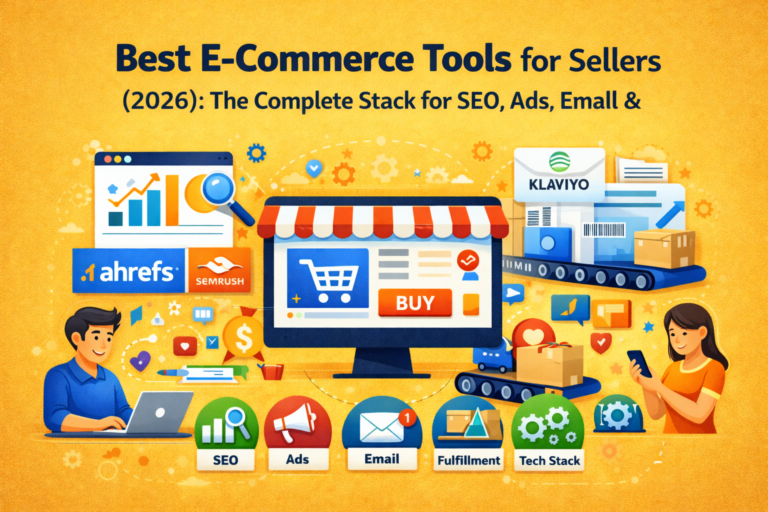
Klaviyo takes email marketing further with powerful ecommerce-specific features. It tracks customer behavior, predicts future purchases, and creates hyper-targeted segments based on shopping patterns. The platform integrates seamlessly with Shopify, BigCommerce, and WooCommerce.
Klaviyo’s free tier supports up to 250 contacts. Paid plans scale with your list size but deliver better ROI than generic email platforms for most online stores.
Action step: Start with Mailchimp to learn email marketing basics. Graduate to Klaviyo once you’re making $5,000+ monthly and need advanced segmentation and analytics.
Social Media Management
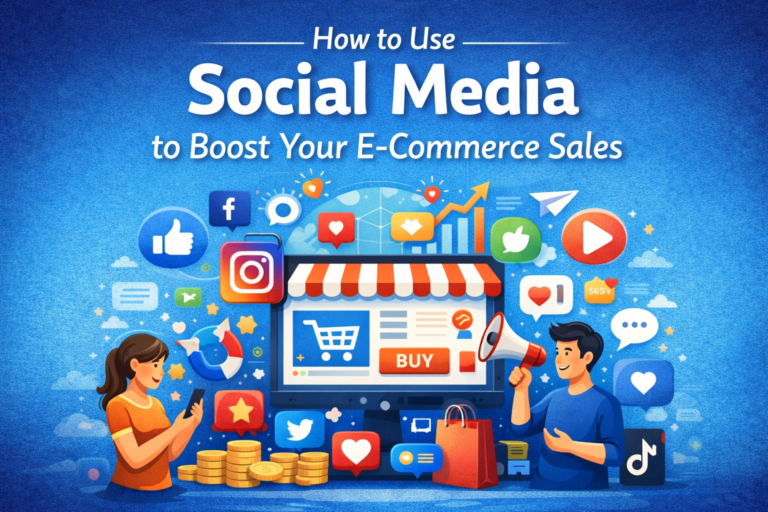
Managing multiple social platforms becomes overwhelming fast. Social media management tools centralize your efforts and maintain consistent posting schedules.
Buffer simplifies social posting with clean scheduling interfaces and basic analytics. You can queue posts for Instagram, Facebook, Twitter, and Pinterest from one dashboard. The free plan handles three social accounts with 10 scheduled posts each.
Later focuses specifically on visual platforms like Instagram and Pinterest, making it ideal for product-based businesses. The visual content calendar helps plan cohesive feeds, while hashtag suggestions and analytics improve post performance.
Action step: Choose one or two social platforms where your target customers spend time. Use Buffer or Later to maintain consistent posting without daily manual updates.
SEO and Content Tools
Organic search traffic converts at higher rates than almost any other channel because visitors are actively seeking solutions you provide.
Google Analytics and Google Search Console are non-negotiable free tools. Analytics shows who visits your site and what they do. Search Console reveals which keywords drive traffic and identifies technical SEO issues.
Ahrefs or SEMrush take SEO further with competitor analysis, keyword research, and backlink tracking. These paid tools (starting around $99-120 monthly) help you find content opportunities and monitor your search rankings.
Action step: Install Google Analytics and Search Console immediately. Once you’re generating revenue, invest in Ahrefs or SEMrush to identify high-value keywords and content gaps.
Paid Advertising Platforms
Organic growth takes time. Paid advertising delivers faster results when executed strategically.
Google Ads captures high-intent shoppers actively searching for products like yours. Start with Google Shopping campaigns that display product images, prices, and ratings directly in search results. These visual ads typically outperform text-only campaigns for ecommerce.
Facebook Ads Manager runs campaigns across Facebook and Instagram, offering precise audience targeting based on demographics, interests, and behaviors. The platform excels at cold traffic acquisition and remarketing to past website visitors.
Start small with $10-20 daily budgets while learning what works. Test different audiences, ad creatives, and messaging before scaling successful campaigns.
Action step: Begin with one platform—Google Ads for bottom-funnel searchers ready to buy, or Facebook Ads for building awareness and testing new audiences.
Operational & Support Resources
Backend operations might not be glamorous, but they determine whether customers become fans or leave frustrated reviews. These ecommerce seller resources keep your business running efficiently.
Inventory Management
Tracking stock levels manually leads to overselling, disappointed customers, and lost revenue. Inventory management systems prevent these problems.
Shopify’s built-in inventory tracking works fine for simple stores with single locations and straightforward products. You can monitor stock levels, set low-inventory alerts, and track products across variants.
TradeGecko (now QuickBooks Commerce) handles more complex inventory needs including multi-location warehousing, batch tracking, and manufacturing workflows. It syncs with major ecommerce platforms and accounting software.
Action step: Use your platform’s native inventory tools initially. Upgrade to dedicated software when managing multiple warehouses or dealing with 500+ SKUs.
Shipping and Fulfillment
Shipping costs and delivery speed directly impact conversion rates and customer satisfaction. These tools streamline the fulfillment process.
ShipStation consolidates orders from multiple sales channels, compares carrier rates, prints shipping labels in bulk, and provides tracking updates to customers automatically. The platform integrates with 150+ marketplaces and shopping carts.
Pricing starts at $9.99 monthly for 50 shipments, scaling up based on volume. The time savings and discounted carrier rates typically offset the subscription cost quickly.
Shippo offers similar multi-carrier shipping functionality with straightforward pricing—just pay for labels with no monthly fees for basic plans. This works well for lower-volume sellers who want flexibility without recurring costs.
Action step: Connect ShipStation or Shippo to your store before your first sale. Set up branded tracking pages and automated shipping notifications to create professional customer experiences.
Payment Processing
Getting paid securely and efficiently is obviously crucial. Your payment processor affects transaction fees, customer trust, and cash flow.
Stripe and PayPal dominate online payment processing. Stripe offers cleaner checkout experiences and better developer tools, while PayPal provides familiar branding that some customers trust more readily.
Transaction fees hover around 2.9% plus $0.30 per transaction for both processors. Many ecommerce platforms include preferred payment processors with slightly better rates.
Action step: Offer multiple payment options. At minimum, accept credit cards via Stripe and provide PayPal as an alternative. International sellers should consider adding regional payment methods popular in their target markets.
Customer Service Solutions
Exceptional customer service differentiates you from competitors and encourages repeat purchases.
Zendesk provides comprehensive help desk software with ticket management, knowledge bases, and multichannel support through email, chat, and phone. It scales well as teams grow but comes with higher costs starting around $49 per agent monthly.
Gorgias specifically serves ecommerce businesses with Shopify, BigCommerce, and Magento integrations. Support agents can view customer order histories, process refunds, and edit orders without switching platforms. Pricing starts at $10 monthly for basic plans.
Live chat tools like Tidio or LiveChat let you answer customer questions in real-time, increasing conversion rates by addressing concerns before visitors abandon carts.
Action step: Start with simple email support using your ecommerce platform’s built-in tools. Add live chat once you’re receiving 5-10 daily inquiries, and graduate to full help desk software when managing a support team.
Accounting and Financial Management
Accurate financial records aren’t optional—they’re essential for tax compliance, business decisions, and future growth.
QuickBooks Online leads small business accounting software with ecommerce integrations, expense tracking, and tax preparation features. It automatically imports transactions from your payment processors and categorizes revenue and expenses.
Xero provides similar functionality with a cleaner interface that some users prefer. Both platforms start around $15-30 monthly for basic plans.
Action step: Set up accounting software during your first month in business. Connect your bank accounts, payment processors, and ecommerce platform to automate bookkeeping as much as possible. Work with a CPA for tax planning and year-end filing.
Analytics and Reporting
Data-driven decisions outperform guesswork every time. Understanding your metrics helps you invest resources wisely.
Beyond Google Analytics, consider Glew or Littledata for ecommerce-specific analytics. These platforms calculate customer lifetime value, identify your most profitable products, track cohort retention, and measure marketing channel effectiveness.
Action step: Master basic Google Analytics metrics first—traffic sources, conversion rates, and top products. Add advanced analytics platforms once you’re spending $1,000+ monthly on marketing and need deeper insights for optimization.
Conclusion: Build Your Ecommerce Tech Stack Today
Success in ecommerce doesn’t require expensive enterprise software or a massive team. It requires the right ecommerce seller resources matched to your business stage and goals.
Start with the essentials: a reliable platform like Shopify, email marketing through Mailchimp, shipping software like ShipStation, and Google Analytics for tracking. These four tools create a solid foundation for launching and growing your online store.
As revenue increases, layer in advanced resources—Klaviyo for sophisticated email automation, paid advertising through Google and Facebook, comprehensive customer service tools, and robust analytics platforms. Each addition should solve a specific problem or unlock new growth opportunities.
The ecommerce landscape changes constantly, but the fundamentals remain the same. Focus on creating excellent product experiences, building genuine customer relationships, and operating efficiently. The tools in this guide help you execute those fundamentals at scale.
Don’t let analysis paralysis delay your launch. Choose your platform this week, set up your first products, and start learning through real customer interactions. You can always swap tools later, but you can’t build a business without taking action.
Your ecommerce journey starts now. Pick your platform, gather your essential tools, and launch that store. The resources are available, the market is ready, and your customers are waiting.
Claude is AI and can make mistakes.
Please double-check responses.